Turn any web page into clean data.
Extract lists, product details, and images from websites in your browser. No browsing data is sent to our servers. No coding required. Click the data you want, or use custom selectors when you need more control. Add custom fields and export to CSV, Excel, or JSON.
Sign up and verify your email to get 5 free days of unlimited exports and image downloads.
Features
Three tools in one side panel, plus a Datasets window to manage everything you extract.
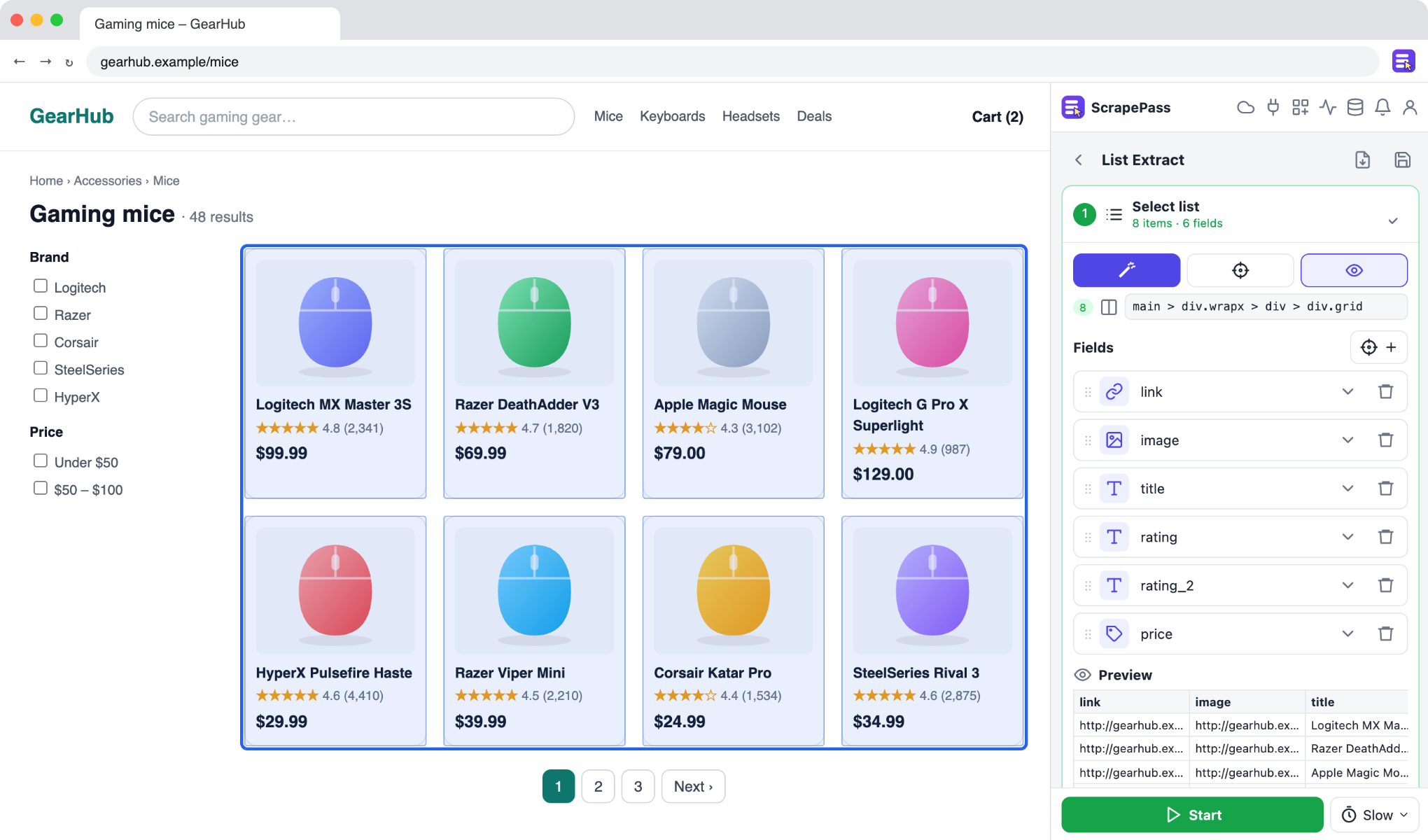
List Extract
Select a list of products, posts, or search results. ScrapePass extracts the items into a table and handles pagination, infinite scrolling, and “Load more” buttons.
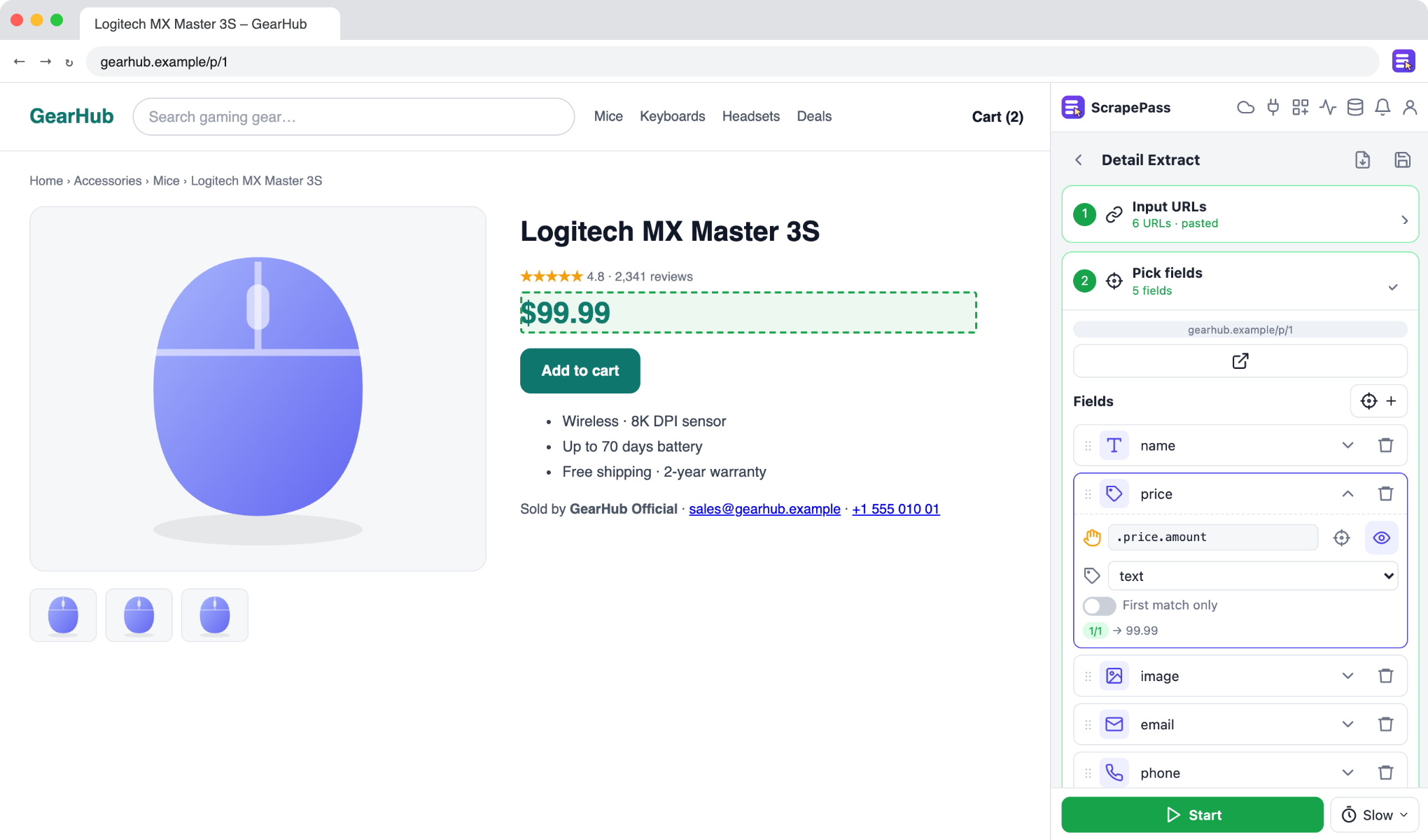
Detail Extract
Paste URLs, upload a CSV, or use an existing dataset. Select the fields on one page, and ScrapePass visits each URL to fill in the table.
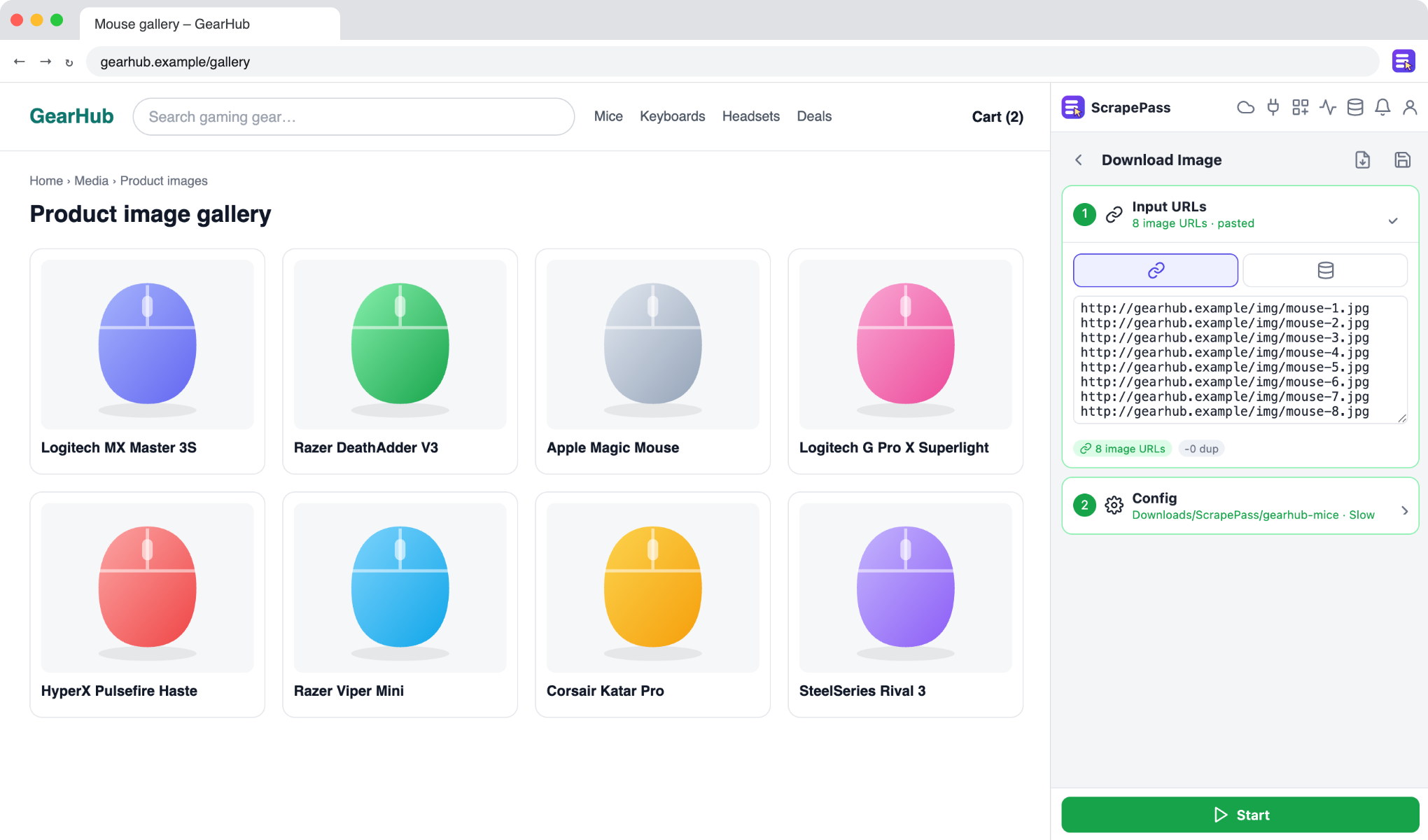
Bulk download
Paste image URLs or use an image column from an existing dataset. Download the images to a folder of your choice with clean file names.
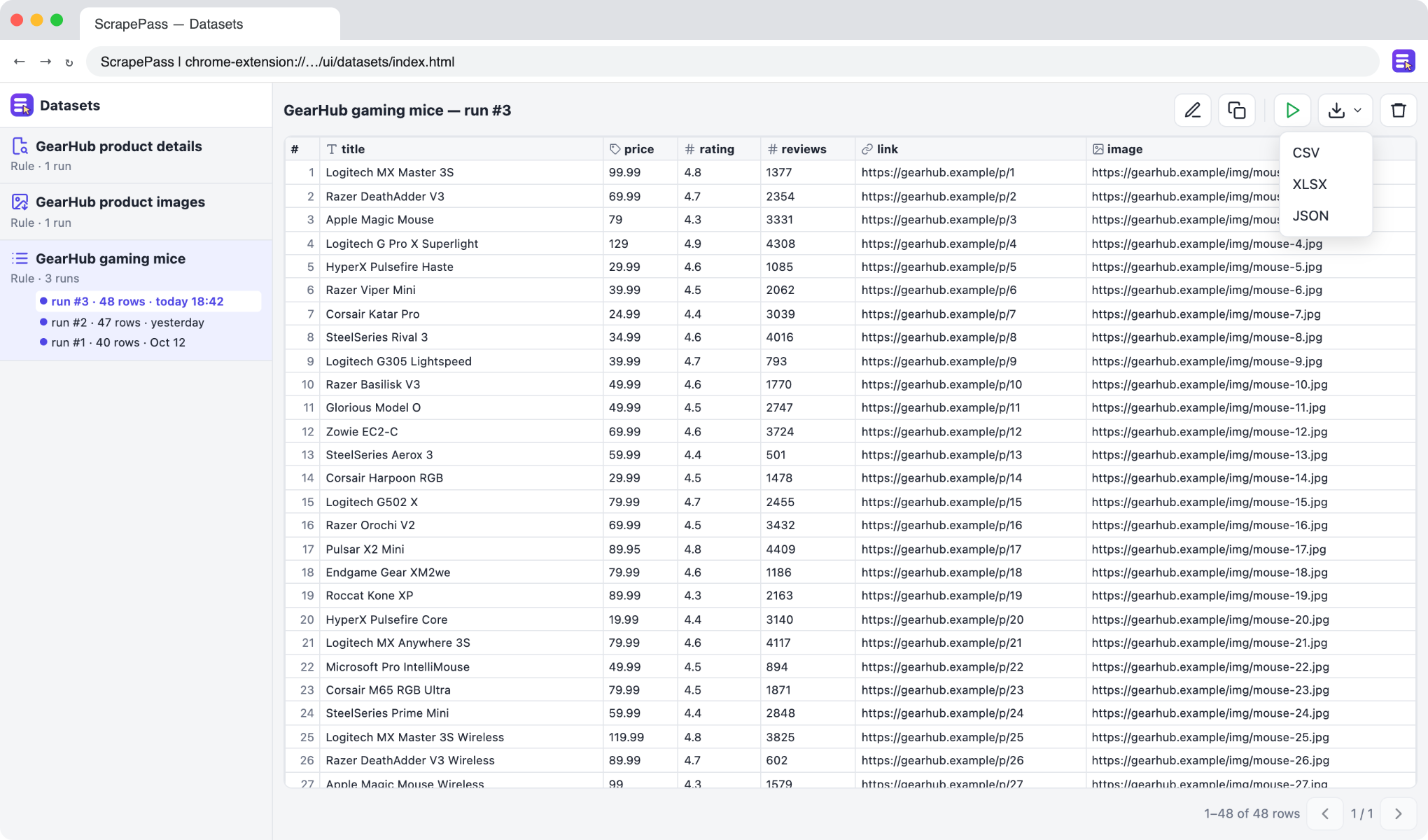
Datasets
Each run is saved as a dataset in your browser. View rows, compare runs, rerun recipes, and export to CSV, Excel, or JSON.
Simple, pay-as-you-go pricing
Start with a free trial. Use 1 free day or 1 credit to activate a 24-hour pass with unlimited exports and image downloads.
Free days
Get 5 free days when you sign up and verify your email, plus 5 more for each friend you refer. Each free day activates a 24-hour local pass.
24-hour unlimited passes
No per-row limits. Extract as much data as you need while your pass is active.
Pro from $9
Buy 9, 20, 35, 65, 100, or more credits. Each credit activates a 24-hour pass with unlimited use. Credits are valid for 360 days. See pricing →
Coming soon
Sign up for early access from the extension’s header.
Cloud Runs
Schedule extractions that run while your browser is closed.
MCP server
Let AI agents call your saved recipes as tools.
Prebuilt templates
Start extracting from popular sites with ready-made recipes.
Start extracting in a minute
Install the extension, open the side panel, and select the data you want.
Add to Chrome